au Starlink Direct (Part 2)
Introduction
A service that allows direct communication between your everyday smartphone and low-Earth orbit satellites launched in Japan in April 2025. Following KDDI, T-Mobile in the United States also launched a service that allows direct communication with Starlink satellites from August 2025. In Japan, NTT Docomo and SoftBank are planning a Starlink Direct to Cell service similar to KDDI’s. Rakuten Mobile is planning to launch a service using AST SpaceMobile. Satellite communication services that complement land-based cellular networks are rapidly becoming widespread.
I started using KDDI’s Starlink connection service in early June. This service utilizes LTE (Long Term Evolution) signals when available on land, and connects to satellites when LTE signals are unavailable in Japan. However, since it covers most of my living area, I rarely have a need for Starlink connection within my usual range of activity.
I wanted to try using Starlink connection somehow, so I conducted a mobile experiment based on the coverage map.
Checking Starlink direct communication area on the area map (failed)
I checked the publicly available Starlink area map and found a service area near my workplace. It’s at the Uokiri Dam in Hiroshima. This area is within the orange zone, and LTE signals are not supposed to reach it.
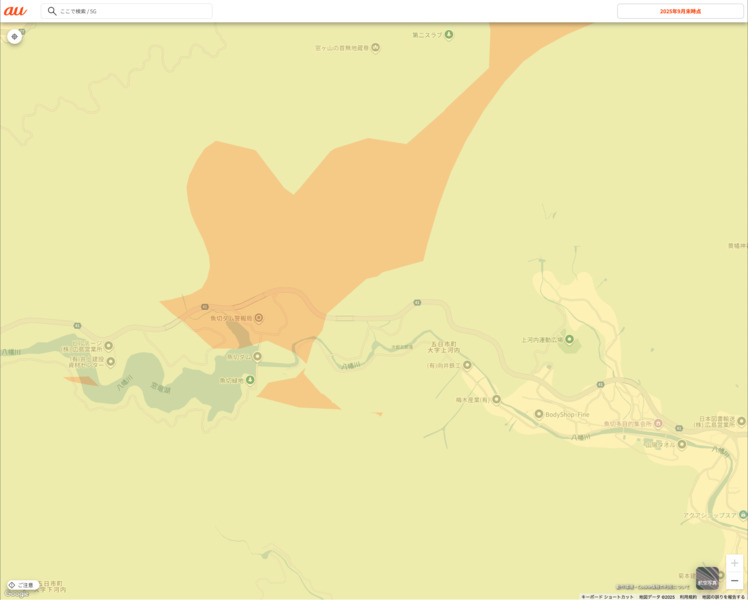
Upon arriving at the location, it was indeed deep in the mountains, and it seemed unlikely that LTE signals would reach there.

However, in reality, the LTE signal was present, and it did not connect to Starlink. Even after walking around and waiting for a while, the LTE connection remained stable.
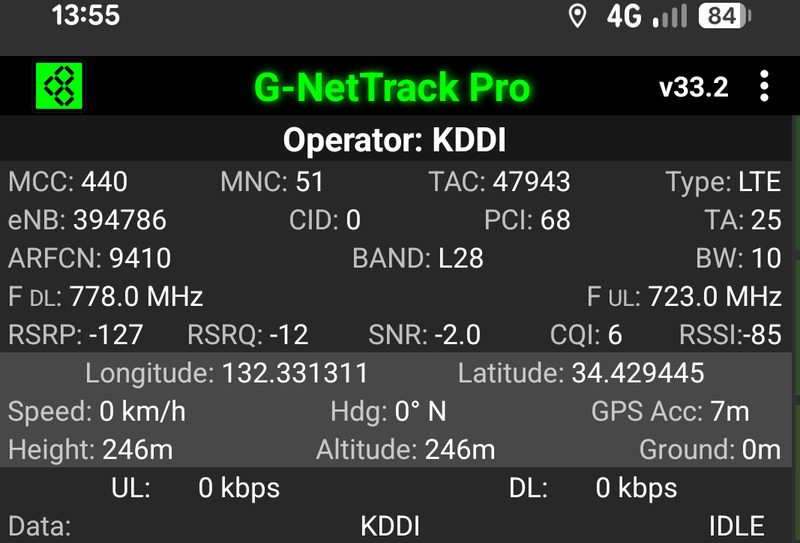
Unfortunately, I’ll have to change locations and try again.
Upgrade to the Starlink Dedicated Plan Plus
I was using the “au Starlink Direct Exclusive Plan” with an eSIM, and the period of free usage fees was nearing its end. Therefore, I switched to the new “au Starlink Direct Exclusive Plan + (Plus).”
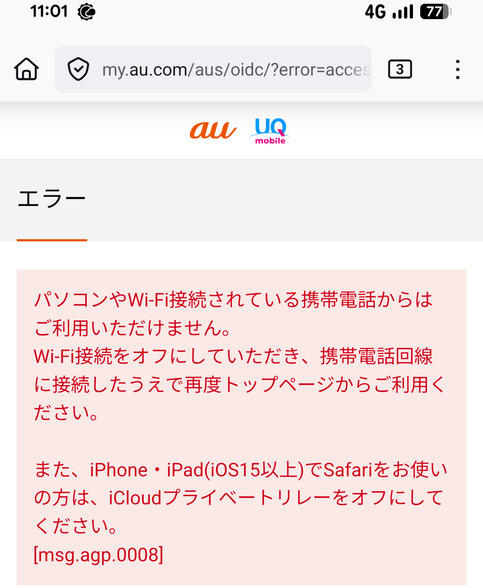
I immediately proceeded with the plan update and eSIM change procedure through the dedicated app. It’s important to note that if you don’t turn off Wi-Fi and use the KDDI mobile phone network during the procedure, you will encounter an error screen like the one shown below.
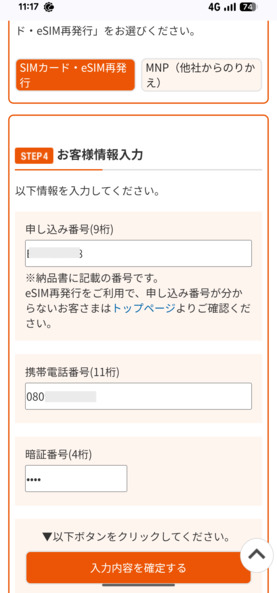
The “transfer number” displayed during the process and later required cannot be copied and pasted. You will need to write down the transfer number along with your phone number and PIN on a piece of paper.
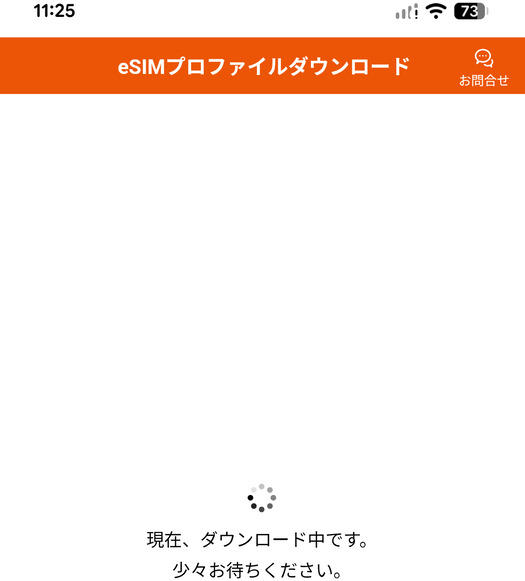
After that, I was instructed to restart the device. I was worried that restarting it would prevent me from connecting to the cellular network and downloading the profile, but I decided to go ahead and restart my smartphone.
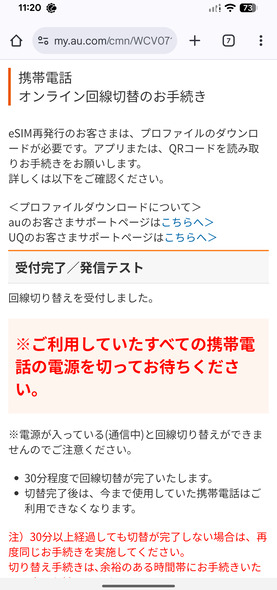
In reality, I was able to download the profile via the Wi-Fi connection app. The exclamation mark on the signal strength graph indicates that it is not connected to the cellular network.
Afterward, two eSIMs with the same phone number appeared on the smartphone’s settings screen, both of which were turned on. Click the arrow icon to check the old and new eSIMs, and then turn off the old eSIM.
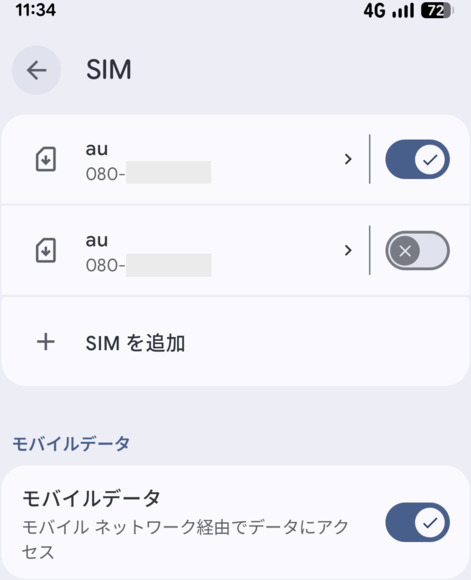
I have now successfully switched to the new plan.
Conclusion
While the coverage area of land-based LTE and 5G has expanded, enabling high-speed communication in more locations, it seems that Starlink satellite connectivity is being used less frequently as a result. The new plan allows communication not only through messaging but also through satellite-enabled apps. I plan to install these apps and try out satellite connectivity further.
Related article(s):
- au Starlink Direct 24th October 2025
- Starlink Mini 10th April 2025
- Starlink Roam 50GB Plan 4th February 2025
- Starlink bypass mode 30th November 2023
- Starlink connection in an open environment 28th February 2023
- Starlink Ethernet adapter 15th February 2023
- I became a Starlink user 11st February 2023